Aion 2 Pre-Download Guide: Start Times, Steam vs. PURPLE Setup, and Launch Checklist

The wait is officially ending for Founder’s Pack owners preparing for Aion 2. Ahead of the 5-day Advance Access window opening on September 30, 2026, NCSOFT has confirmed the official pre-download schedule so players can install the client in advance.
This guide outlines the exact global unlock times, platform installation instructions, system requirements, and the critical step previous test players must complete before downloading.
Pre-Download Schedule & Global Time Zones
NCSOFT officially announced on the Aion 2 YouTube channel that Advance Access pre-downloads go live on Monday, September 28, 2026, at 6:00 AM PDT. Pre-downloading transfers the game files to your storage drive early, ensuring you do not lose time on launch day.
| Time Zone | Region | Pre-Download Unlock Time (Sept 28, 2026) |
|---|---|---|
| PDT | US West / Pacific | 6:00 AM |
| EDT | US East / Eastern | 9:00 AM |
| UTC | Coordinated Universal Time | 13:00 |
| BST | United Kingdom | 2:00 PM |
| CEST | Central Europe | 3:00 PM |
| KST | South Korea | 10:00 PM |
Note on Access: The September 28 pre-download is exclusively for Advance Access / Founder’s Pack holders. Players on the free-to-play track will gain client download and server access ahead of the October 5, 2026 worldwide release.
Critical Step for Launch Scale Test Participants
If you participated in the Launch Scale Test on September 17–18, pay close attention to NCSOFT’s official transition notice:
- Steam Players MUST Uninstall the Playtest Client: The test application is a separate build from the retail client. You must completely uninstall the AION 2 Playtest App from your Steam Library before attempting to pre-download the retail version.
- PURPLE Players: Players using NCSOFT’s PURPLE platform require no extra cleanup steps, as the launcher automatically updates to the retail client.
How to Preload on Steam vs. PURPLE
Method 1: Steam Preload
- Ensure your Founder’s Pack is activated on the Steam account you plan to main.
- Uninstall the previous AION 2 Playtest App if installed.
- Search for AION 2 in your Steam Library.
- When the clock hits 6:00 AM PDT on September 28, select Install / Preload.
- Keep auto-updates enabled so day-one patches install automatically prior to September 30.
Method 2: NCSOFT PURPLE Launcher Preload
- Open the official PURPLE launcher on your PC.
- Log into the verified global account containing your Founder’s Pack entitlement.
- Navigate to the Aion 2 tab.
- Click Pre-install starting at 6:00 AM PDT on September 28 to begin downloading.
PC System Requirements (Unreal Engine 5)
Aion 2 is built natively on Unreal Engine 5 and renders seamless 3D aerial battlefields 36 times larger than the original game. Meeting these hardware specifications is crucial for smooth frame rates in high-density Abyss combat.
| Component | Minimum Requirements | Recommended Specifications |
|---|---|---|
| OS | Windows 10 / 11 (64-bit) | Windows 10 / 11 (64-bit) |
| CPU | Intel Core i5-10500 / AMD Ryzen 5 2600 | Intel Core i7-11700 / AMD Ryzen 7 3700X |
| RAM | 8 GB RAM | 16 GB RAM |
| GPU | NVIDIA GeForce GTX 1050 Ti / GTX 1660 | NVIDIA GeForce RTX 2070 / RTX 3070 |
| DirectX | Version 12 | Version 12 |
| Storage | 100 GB SSD required | 100 GB High-Speed NVMe SSD |
Storage Warning: A Solid State Drive (SSD) is strictly required; running the game on a traditional mechanical HDD causes severe asset streaming hitches and stuttering during flight transitions.
Founder’s Pack Breakdown
All three Founder’s Pack tiers ($24.99 Standard, $49.99 Deluxe, $99.99 Ultimate) include full access to the 5-day Advance Access window (Sept 30 – Oct 4) and a 30-day Membership entitlement. The Membership unlocks central Market listing access and priority server queue placement when servers hit capacity.
Day-One Preparation Checklist
- Pre-Download the Client: Complete your download on September 28 to avoid server congestion.
- Update GPU Drivers: Ensure your NVIDIA or AMD graphics drivers are updated for Unreal Engine 5 optimization.
- Confirm Account Region: Verify that your NC account region matches your payment region to avoid store or currency errors.
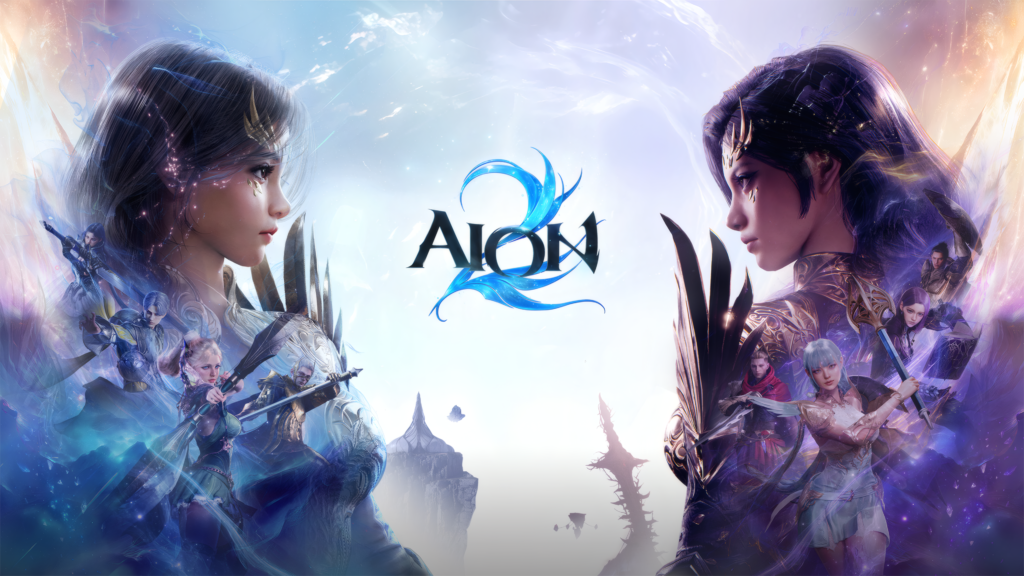
- Coordinate Faction & Class: Finalize your choice between Elyos and Asmodians with your guild before logging into character creation on September 30.
Let every Omega Gamer know what faction you are choosing!

Responses